Friday, 11 October 2013

Fruits'n Tails v1 APK


GET READY TO DISCOVER THE REAL SECRET OF DA VINCI!


Fruits'n Tails play.google.com.fruitsntails
Leonardo da Vinci is in a creative block when he finds a map that leads him to a mysterious mountain, where he meets the colorful monkeys and gets their help painting a new portrait.
Use Ticelli, Vince, Ludovico and Sanzio to pick up the fruits in the forest, make paint with the fruits and help the genious Leonardo Da Vinci painting his ultimate masterpiece.

Discover new colors with different strategies matching the monkey’s tails. Use the nature in your favor to complete your mission!

Features:
  • Innovative gameplay in more than 90 challenging levels!
  • Amazing graphics in 3 different chapters!
  • Collect all Best Path badges to unlock a secret bonus chapter!
Required Android O/S : 2.2+

Screenshots :

Download : 49Mb APK

Windows8 / Windows 8 +Launcher v1.9.3 APK


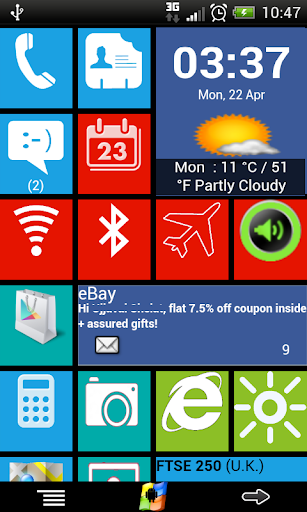
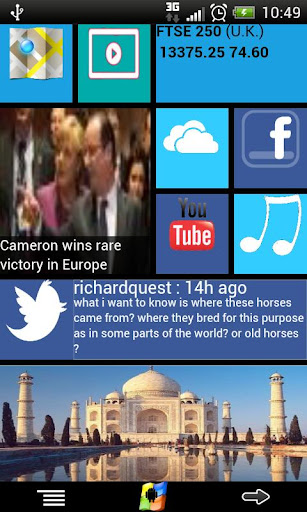
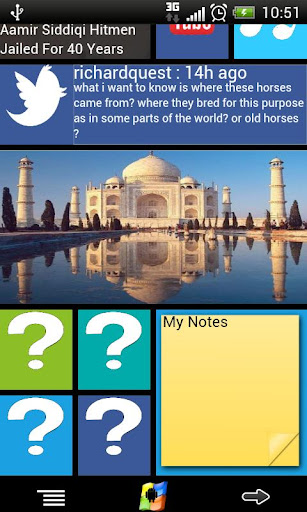
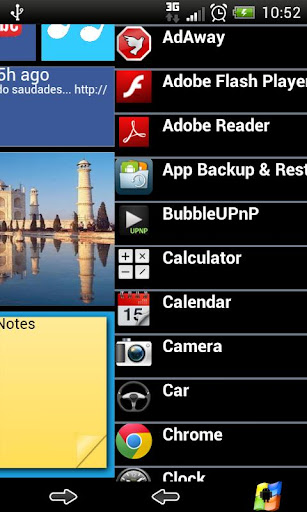
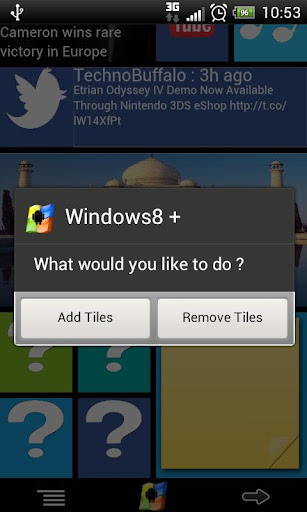
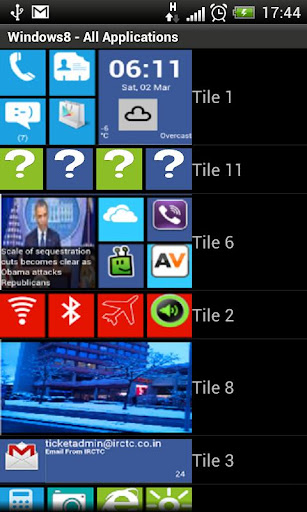
Windows8+ is Home launcher application which tries to provide Windows8 mobile like experience on your android device!


Windows8 / Windows 8 +Launcher  play.google.com.windows8p
Features:
  • Live tiles for gmail, news, weather, twitter, calendar , etc with many configuration options
  • Drag and drop tile groups to re-order/change the position of tiles.
  • Change icon/tile icon size using Menu >> Icon Size 
  • Select the preferred country for news using Menu >> Prefs >> News Country and for stock market using Menu >> Prefs >> Stock Market 
  • Power Control widget to on/off Wifi, Airplan mode, Bluetooth, ring mode, screen brightness, etc.
  • Click on icon/tile will bring up (launch) the associated app, (This application will try to associate most common applications like dialer, messsage, google play, etc) if you are clicking first time and no application is associated then list of all installed apps will be opened and you can associate any app of your wish to this tile.
  • Long Click on icon/tile to change the color, icon, application associated to tile. Following 3 options are available\n * Associate App - Change the launching app while keeping the same icon on home screen.\n * Change Color - Change background color of tile.\n * Change App - Change the launching app and icon will be replaced with app default icon on home screen. 
  • Additional icons/tiles style which can be customized as per your need. Add/remove tiles from Menu >> Tiles
  • Weather Service : Based on your current location, local weather details are available.
  • Stock Market updates : Select your preferred Stock Market using Menu >> Misc >> Stock Market
What's in this version : (Updated : Oct 11, 2013)
  • Icon Size enhancements for Mobile layout
  • Minor defect fixes
Required Android O/S : 2.2+

Screenshots :


Download : 6Mb APK

Perfectly Clear v2.0.9 APK


Perfectly Clear has arrived for the world’s most popular mobile operating system, Android!


Perfectly Clear for Android play.google.com.perfectlyclear
Athentech Imaging, the makers of Perfectly Clear, have been the industry leaders in Automatic Image Correction for years. Our powerful and desktop and intelligent LAB software have led the way for an award winning iPhone app and now Android app.

Camera phones lack the quality and sophistication that dedicated cameras have and often leave you with underexposed, washed out photos. Perfectly Clear Automatically corrects these images and turns them into stunning memories for years to come. Now, from the everyday smart phone user to the experienced mobile photographer, there is an intelligent way to automatically correct your photos anywhere, anytime.

With the new, completely redesigned interface, no effort is required to create and then share beautiful looking images with this fun-to-use app. Watch as Perfectly Clear automatically peels off your original photo to reveal a vibrant, color corrected photo with crisp details you couldn’t see in your original. Want more then automatic? Perfectly Clear lets you use our 10 patented correction to further customize your image the with the use of easy, intuitive sliders.

See for yourself the power of Perfectly Clear

Perfectly Clear for Android is available at an introductory price of $.99! That's 50% off.

This is your chance to get this great new app from an award winning software company. Perfectly Clear will transform you Android photos from mere snapshots into stunning memories.

What's in this version : (Updated : Oct 11, 2013)
  • Fixed stability and performance issues
  • Improved handling with a large number of
Required Android O/S : 2.3.3+

Screenshots :


Download : 28mb
http://www51.zippyshare.com/v/16985812/file.htmlhttp://www51.zippyshare.com/v/16985812/file.html

iPhone Notifications v6.3 APK


iPhone Notifications displays your device's notifications like an iPhone!


iPhone Notifications play.google.com.iphonenotifications
With iPhone Notifications you can greatly improve the way your device displays notifications. You can display any app's notifications the same way it would be displayed on IOS5, on your smartphone as well as on your tablet device.

The service:
  • To work properly, iPhone Notifications requires that you activate the accessibility service "iPhone Notifications" (accessibility services are currently the only way to process user notifications on the Android OS).
  • You then have to use the "Monitoring" section to choose which apps should raise notifications, and how.
  • Status bar notifications must be enabled in the monitored apps for the banners and alerts to appear properly.
How to use it:
  • Once you have activated the service and configured the app, you can choose to display each app's notifications as alerts or banners.
Banners:
  • Click the notification to launch it
  • Swipe to the right to dismiss it
  • Swipe to the left to dismiss notifications coming from the same app/contact
Alerts:
  • Click "View" to launch it
  • Click "Close" to dismiss it*
  • Long-click the "Close" button to dismiss all notifications
  • Swipe to navigate through your notifications
Full version :
  • You can display the full notification text
  • You can set individual settings for each app
  • You can choose the theme for the notifications
  • You can choose the action when you do a left or right swipe on the banner
  • You can choose to make the alerts appear only when the screen is off
  • You can choose the screen timeout when an alert shows up, and make it stay on until you read it
  • You can lower the brightness of the screen when the alert makes the phone wake up
  • You can set custom vibration patterns
  • You can set quiet hours
  • You can use reminders
What's in this version : (Updated : Oct 10, 2013)
  • New design
  • Android 4.3 : Now dismissing a notification from the app will dismiss it from the status bar (except SMS and missed calls for now)
  • Android 4.3 : New setting : "Dismiss from status bar"
  • Android 4.3 : The accessibility service is replaced by the new notification access feature
  • Updated translations
  • Improved animations
Required Android O/S : 2
Download Link:

Zombie Gunship v1.9.3 [Mod Money] APK


Zombie Gunship® puts you in the gunner seat of a heavily-armed AC-130 ground attack aircraft!


Zombie Gunship
OPTIMIZED FOR A WIDE RANGE OF TABLETS AND PHONES

GOOGLE PLAY GAME SERVICES SUPPORT – LEADERBOARDS AND ACHIEVEMENTS!

3D NIGHT VISION DISPLAY
Toggle between white and black hot modes. Use your radar to quickly detect and eliminate the zombie threat.

AUTHENTIC WEAPONS
  • 25mm Gatling gun
  • 40mm Bofors auto-cannon
  • 105mm Howitzer cannon
COMPLETE OBJECTIVES, EARN RANKS, and beat other gunners on the leaderboard!

COLLECT a BOUNTY for each ZOMBIE KILL
Use coins to upgrade your armaments and increase your zombie killing efficiency.
What's new in this version : (Updated : Oct 11, 2013)
  • Huge performance increases
  • Bug fixes
Required Android O/S : 2.3.3+

Screenshots :
iPhone Screenshot 2Снимок экрана iPhone 3Снимок экрана iPhone 4Снимок экрана iPhone 5

Download :
                                    OR


How To Copy Text From Any Image


Trick to Copy Text From Any Image
For this you have to on your system. Now open () the image in the MS-OneNote window from which you want copy the text. Now on the image and select option. Open or () and the content there.Now you have the whole text in your notepad or Ms-Office.You can edit or format it and save only the required excerpt.
install MS-Office
Microsoft Office OneNoteStart–>All Programs–>Microsoft Office–>Microsoft Office OneNote.

Drag and Drop


Right-ClickCopy Text From PictureNotepadMS-Officewhere you want save the textpaste

Turn off usefulness Facebook notification


 Facebook gives you every information(notification) about your friend and in your network. Sometimes we don't want some notification like someone commented on your tagged photo. or this can be anyone notification so here i am going to show you how to stop those unwanted notifications.

Just follow the simple step.

1. Click On The Notificatio Here is an example photo.just follow the image.

2. Click On the Unfollow you can see in image.
2. Depending on the notification type you can ither unfollow or ither turn off the notification.